TWO INDICATORSSYSTEM GO3 GREEN LIGHTSGLS OSOB EXIT BELLFVG DETECTIONORB BREAKDAILY FIREWALLNON-REPAINTINGMES · MNQ · MGC · MYM5M · 15M TWO INDICATORSSYSTEM GO3 GREEN LIGHTSGLS OSOB EXIT BELLFVG DETECTIONORB BREAKDAILY FIREWALLNON-REPAINTINGMES · MNQ · MGC · MYM5M · 15M
Two Indicators · One System

Green Light Special

When it's green, you go. An invite-only TradingView bundle of two indicators — Green Light Special tells you when to get in, GLS OSOB tells you when to get out. Built for intraday index & commodity futures: MES · MNQ · MGC · MYM on the 5-minute and 15-minute.

2indicators included
3green lights to go
5m · 15mMES · MNQ · MGC · MYM
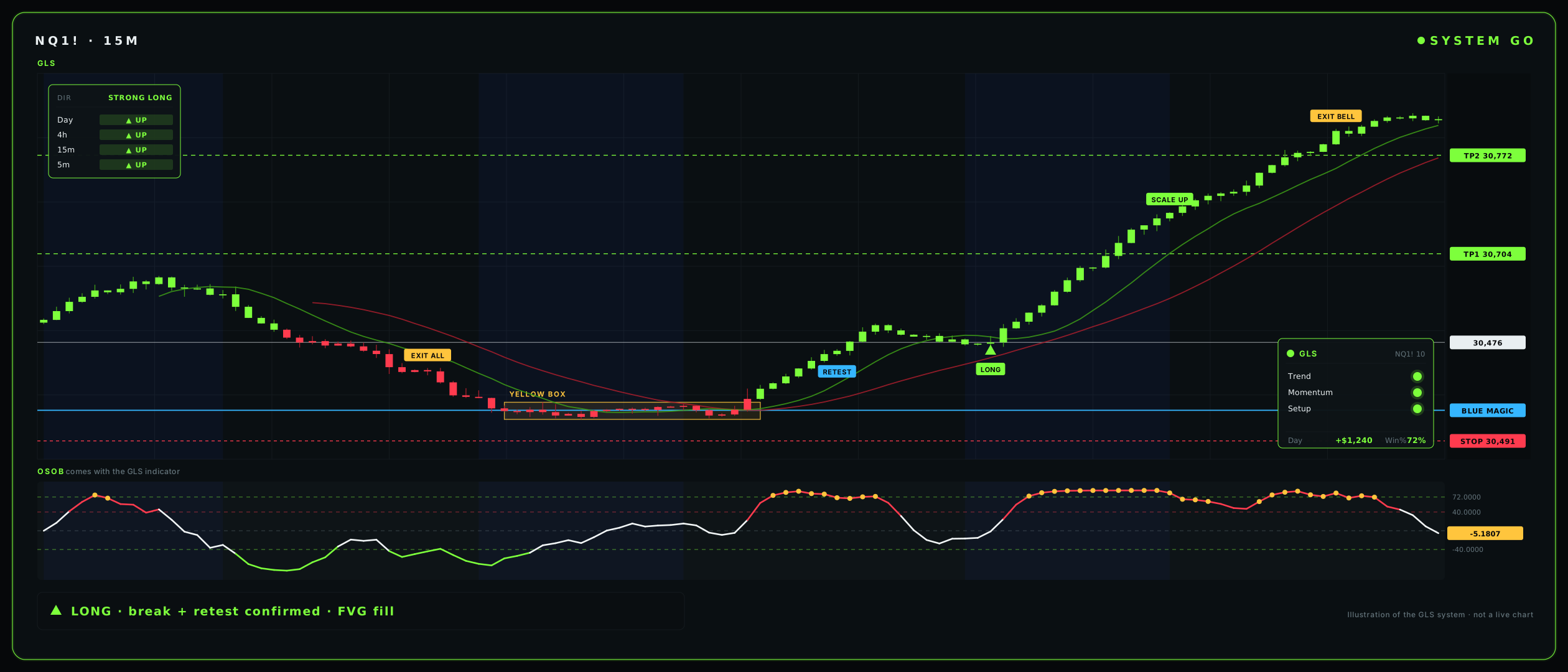
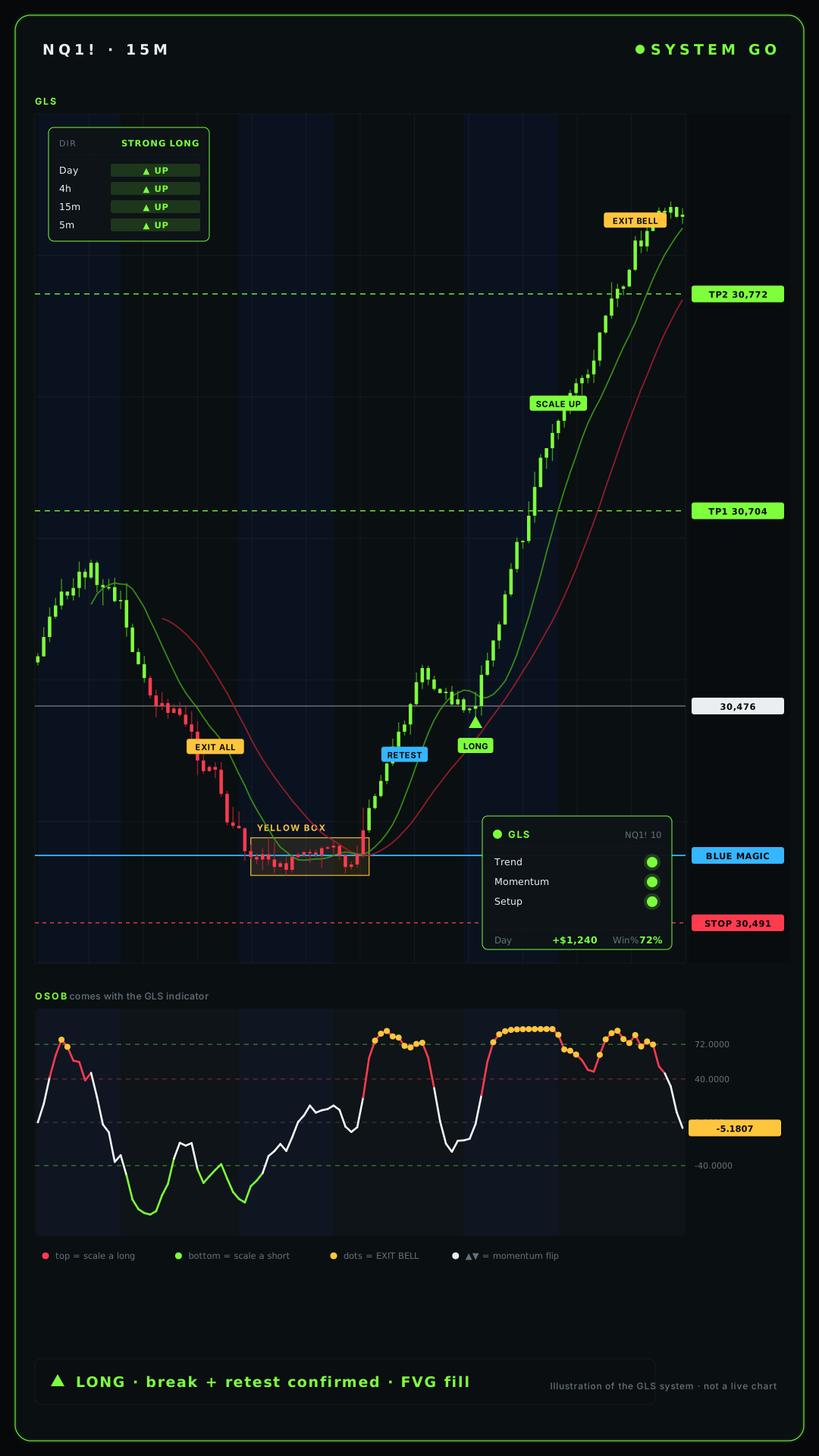
NQ1! · 15MSYSTEM GO
Green Light Special workspace on NQ futures
▲ LONG · break + retest confirmed · FVG fill
Two Indicators, One System

Get In, Then Get Out

Green Light Special is a bundle of two TradingView indicators that work as one playbook — one gets you into the clean move, the other gets you out before you give it back. Both are included.

Included
Indicator 01 · Main Chart

Green Light Special

The main chart indicator — direction, signals, zones and risk all on price. It draws the entry, the stop, the target and the size, and only flashes SYSTEM GO when the read is clean.

→ Tells you when to GET IN
Included
Indicator 02 · Exit Pane

GLS OSOB

The companion pane that lives below price. Its one job is the exit — it shows when a long is getting tired, when a short is getting tired, and rings the EXIT BELL so you scale or tighten instead of round-tripping a winner.

→ Tells you when to GET OUT

One purchase, two scripts. Invite-only on TradingView — markets: MES · MNQ · MGC · MYM · timeframes: 5m & 15m.

The Honest Edge

Why It Makes Money

Entries are roughly a coin flip — and that's fine. The math wins because of what happens after the click.

Capped Loss

Every loss is fixed in dollars

The stop is sized to a set dollar amount before you enter. You never widen it. One bad trade can't blow up.

Asymmetry

Winners bigger than losers

TP1 banks +1R and flips to breakeven; a runner rides the trend. Small losers, occasional big winners.

Daily Firewall

A bad day can't snowball

Hit your loss limit and the system hard-stops new trades — STAND DOWN lockout. Discipline, automated.

The Dashboard

Always On Your Chart

Green Light Special runs a live HUD on price — direction, the three green lights, and a plain-English status banner that walks you through the whole trade.

🎯 Direction Panel

The Timeframe Stack

Day · 4h · 15m · 5m, stacked. The whole stack has to line up.

DAYLONG
4HLONG
15MLONG
5MLONG

All green = strong long · all red = strong short · mixed = wait.

🟢 The 3 Green Lights

All Three, or You Wait

Three filters must agree before the system says GO.

① Trend A clean trend — not chop.
② Momentum The move isn't exhausted.
③ Setup A real entry is present.
+ / –Live Day P&L
Win %Session
🚦 The Status Banner — plain English, every step
Get Ready

Conditions are lining up — get your size and levels set.

System Go

All three lights green, in session. This is the entry.

In A Trade, Ride It

You're filled. Manage to the plan, don't touch it.

Runner, Let It Ride

First target banked, stop at breakeven — let the runner run.

Chop — Stand Aside

No clean trend. The system makes you sit on your hands.

Done / Closed / Stand Down

Daily goal or loss limit hit — the firewall stops new trades.

The Signals

Clean Lights, No Noise

Entries print as simple green / red light dots on price — no "buy / sell" text to lean on. A with-trend entry only confirms on bar close, backed by trend, momentum and above-average volume, in session.

Green light = with-trend long Red light = with-trend short
🟢🔴

With-Trend Entry

Green / red light dot, confirmed on close by trend + momentum + above-average volume, in session.

💎

STRONG (A+)

The premium signal — all 4 timeframes agree. Highest-conviction setups only.

Golden Pocket

Marks the 0.618–0.79 OTE zone — the deep-discount pullback area to enter from.

🛡

Strong Support / Resistance

Levels tested 2+ times are flagged as the walls that hold.

🚀

ORB

Volume-backed break of the opening range — the day's first real directional move.

📦

FVG Detection

"Wait for fill" while the fair-value gap is open → "✅ FILLED — GET IN" the moment price tags it.

Pullback Entries

Continuation entries on the retrace into the trend, not at the highs.

🔄

Smart Reversal

Flags exhaustion — used for exits and careful counter-trend, not blind fades.

🟡

Yellow Man

The trend-flip warning candle. A heads-up to tighten up — never a trade by itself.

🏛

BOS / CHoCH Optional

Break of structure / change of character marked on price for structure reads.

💧

Liquidity Lines Optional

Prior-day high & low (PDH / PDL) — the magnets price hunts.

📊

VWAP

The session's volume-weighted average — the intraday fair-value anchor.

On the Charts

Real Setups, Real Proof

The actual Green Light Special workspace — signals, FVG zones, the bias panel and the ORB playbook, live on the chart.

Main · MNQ 15M Green Light Special main indicator on MNQ — LONG and SHORT signals with the direction panel
LONG & SHORT signals — the full chart with the direction panel and lights reading live.
Signal · Up Close Close-up of the Green Light Special LONG and SHORT signal tags on price
The signal up close — LONG fires the trend, SHORT flips it at the exhaustion top.
Direction + Lights Green Light Special LONG signal printing into the golden-pocket pullback zone
Direction panel + lights — a clean LONG printing into the pullback, with-trend.
NQ Futures · Full Workspace Green Light Special full workspace on NQ futures
The complete cockpit — 15m bias, signals, FVG zones and ORB lines on one screen.
LONG Signals · FVG Zoomed LONG signals with FVG zones and GLS panel
Zoomed in — LONG signals firing into fresh fair-value-gap zones with the GLS panel reading GO.
The System, Live

The HUD that runs every decision — the panel only says GO when all three lights are green and you're in session.

Signal · GO GLS panel showing SYSTEM GO with all three lights green
SYSTEM GO — all three lights green, 15m bias long. Take it.
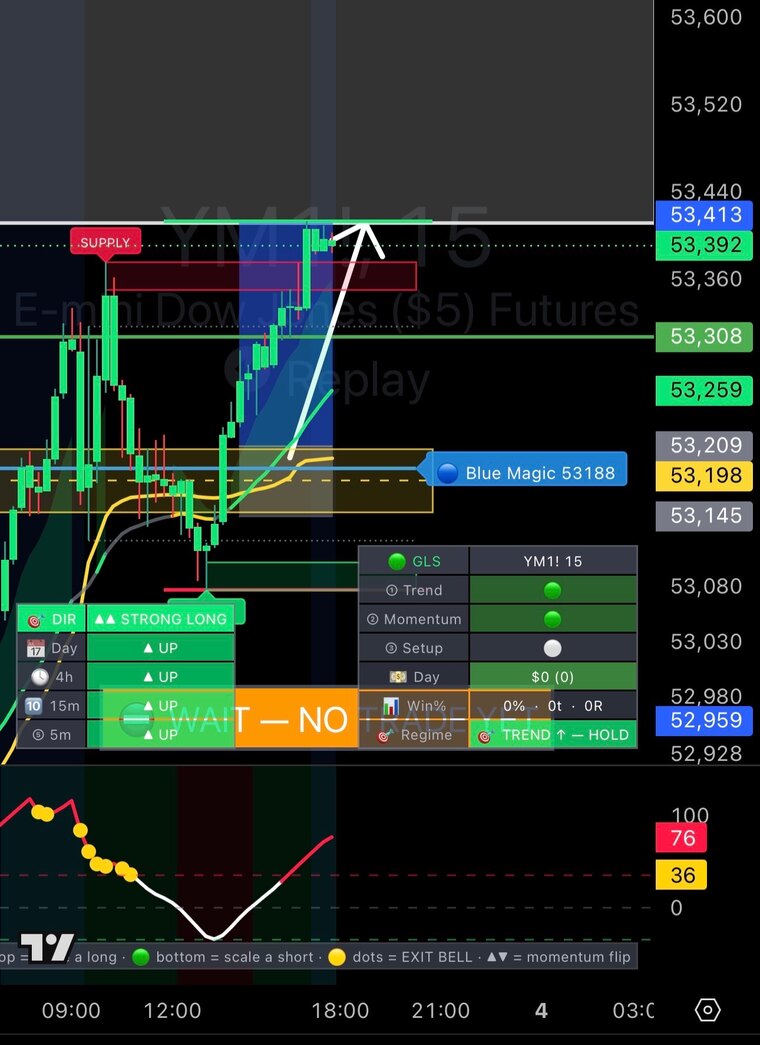
Signal · WAIT GLS panel showing WAIT state with the setup light empty
WAIT — stand down. No setup light means no system trade yet.
NQ Futures · Break + Retest Clean GLS chart showing ORB break, retest and LONG entry on NQ futures
Break + retest → GO — ORB range, breakout, the retest holds, then the LONG fires with BOS and exit bells.
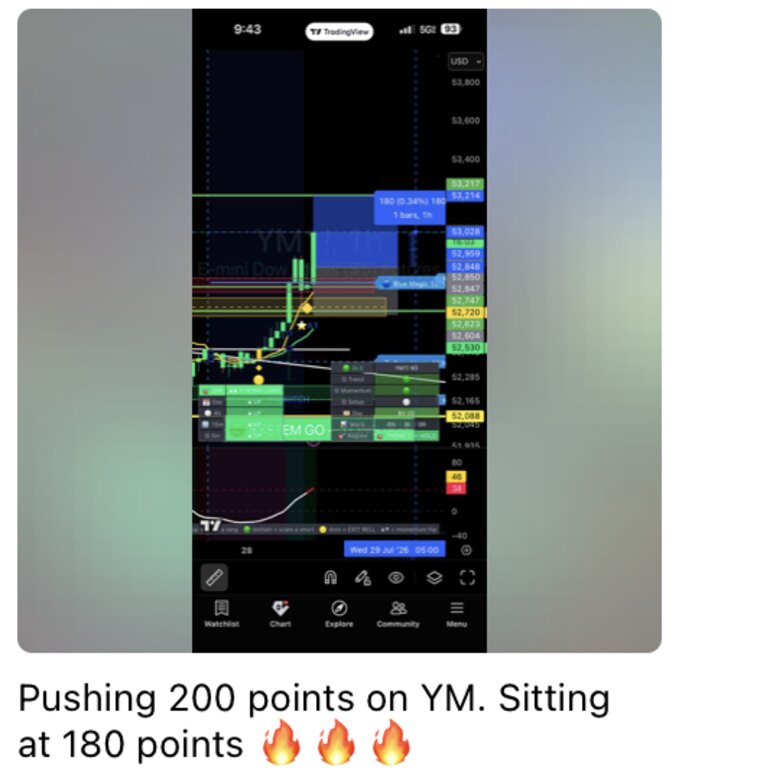
From the Room — Banked

Signals From the Team

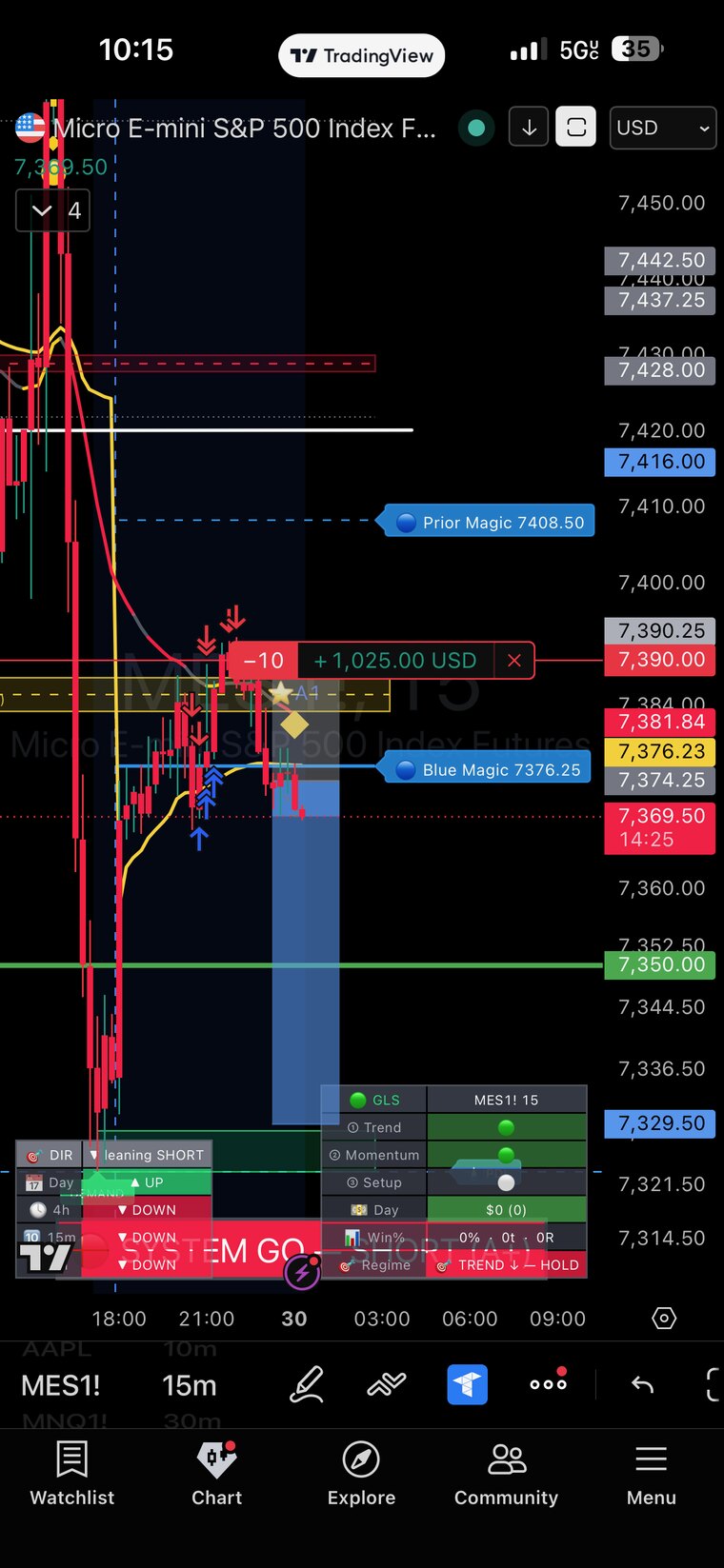
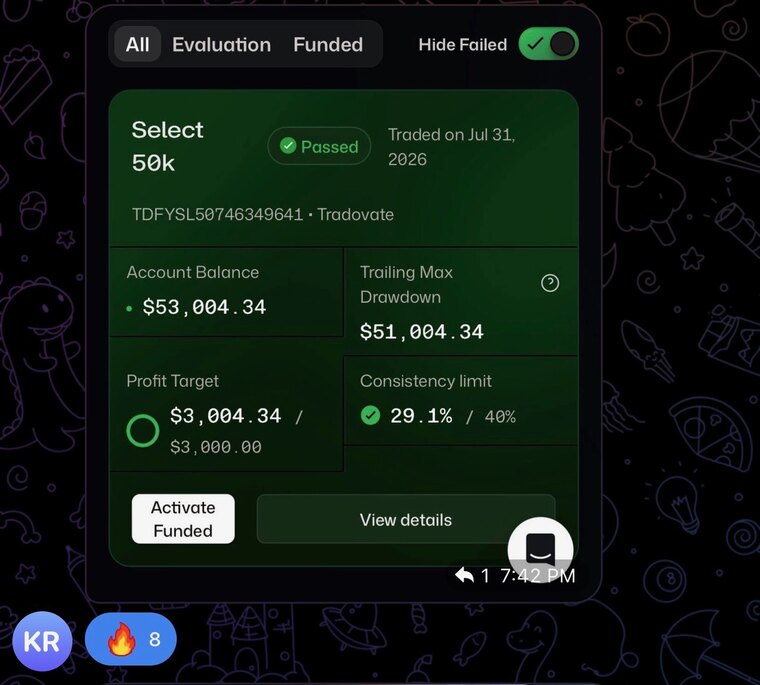
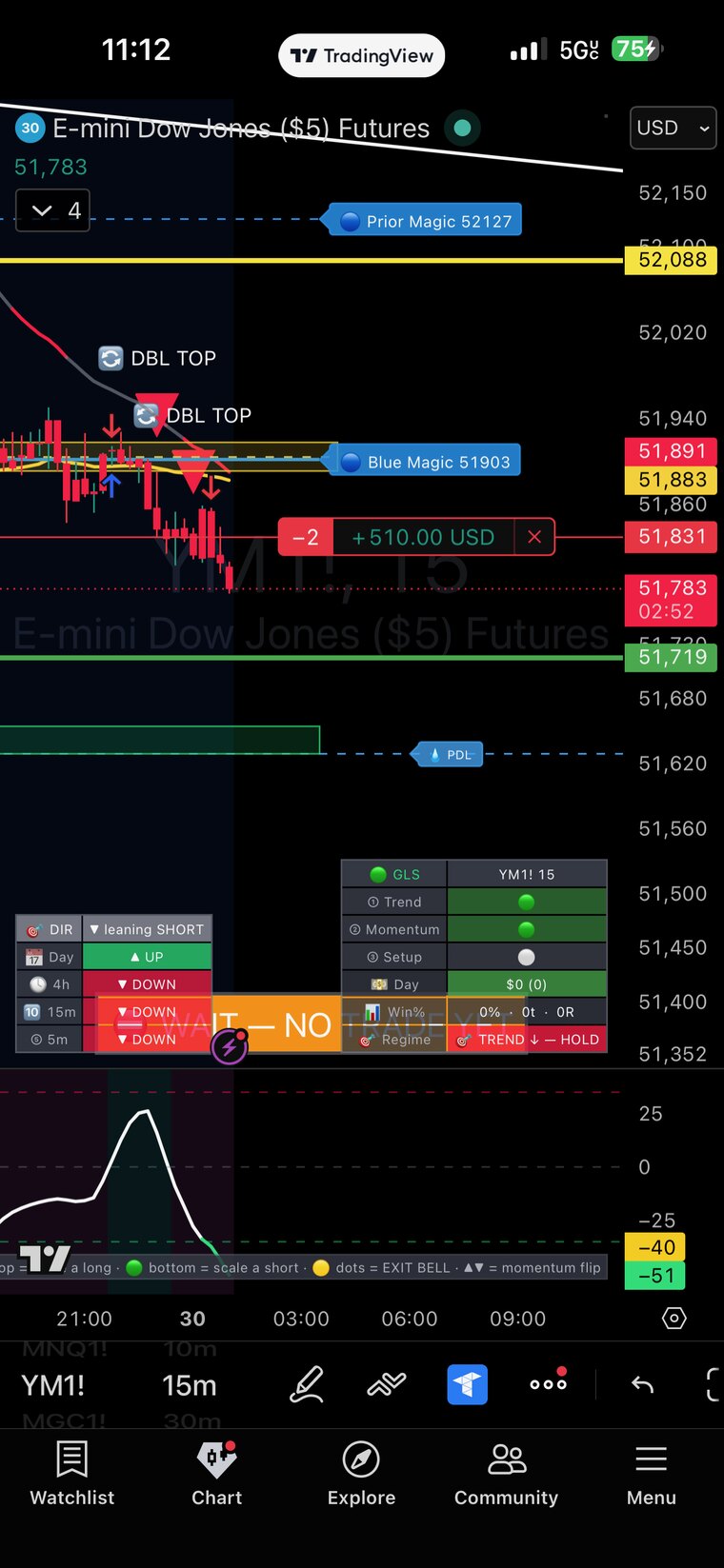
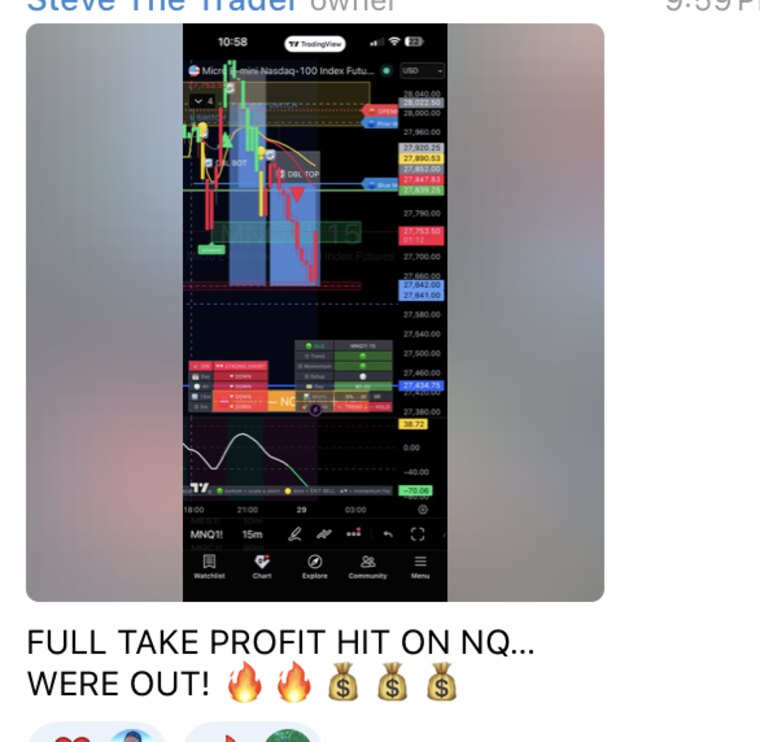
We call clean signals — and the Green Light Special indicator gives you the visual to see the exact setup on your own charts. Signals to follow, the indicator to understand.

Want these calls in real time? Join the room — or grab the indicator and see the setups yourself.

For education only. Results shown are individual outcomes from our room — not typical and not guaranteed. Trading involves substantial risk of loss.

Members

Members Making Money

Real members of the room — following the signals, reading the lights, taking clean setups.

Caught the US30 389-point call live — paid for the year in a day.

MMarcus T.Indicator + Team

The indicator finally made setups click. I see the green light, I take it.

DDré W.Indicator + Team

Banked the 1258-pip gold run with the team. Insane.

PPriya S.Indicator + Team

Was guessing before. Now I wait for all three lights and the bias. Game changer.

JJalen R.Indicator + Team

TP1 smashed, stops to break-even, stress gone.

TTasha M.Indicator + Team

Signals to follow + the visual to learn from — best $150 I spend monthly.

AAri K.Indicator + Team

For education only. Results shown are individual outcomes from our room and are not typical or guaranteed. Trading involves substantial risk of loss.

Risk & Discipline

Built In, Not Bolted On

The edge isn't the entry — it's the risk and the discipline. Green Light Special enforces both automatically, which is why it's built for funded and prop accounts.

Sizing

Auto Position Sizing

Sizes the trade to your chosen dollar risk — every entry, sized for you before you click.

Stops & Targets

ATR Stops + R-Multiple TPs

ATR-based stops with reward-multiple targets and an optional trail — breakeven at +1R.

Daily Firewall

Loss Limit + Profit Goal

Set a daily loss limit and profit goal — hit either and the system auto stands down. Built for funded / prop.

Chop Filter

Kaufman Efficiency Ratio

Measures how clean the move really is and stands you aside when price is just chopping.

No-Chase Gate

Don't Chase

Blocks late entries once price has already run — no buying the top after the move.

Session & News

Auto-Fit + News Blackout

Auto-fits the active session and blacks out the news windows at 8:30 & 10:00 ET.

Indicator 02 · Exit Pane

GLS OSOB — The Exit Companion

A separate pane below price. Its one job is telling you when to get out and scale — never when to get in.

How to Read It

The OSOB Pane

The pane reads how stretched momentum is, so you bank profit at the extremes instead of round-tripping a winner.

  • ⚪ White wave drifting — let it ride
  • 🔴 Red top (overbought) — long getting tired → scale
  • 🟢 Green bottom (oversold) — short getting tired → scale
  • 🟡 GOLD dots = the EXIT BELL — extreme rolling over → take it / tighten
  • ▲▼ zero-cross — momentum flipped
⚠ Honest Framing

Exits Only — Never Entries

Overbought/oversold oscillators work in ranges and fail in trends — so OSOB is for EXITS and scaling only, never to fade a trend or pick an entry. That's why it's a companion to GLS, not a standalone signal.

Pair it with the Yellow Man warning candle on the main chart: when the Yellow Man lights up and OSOB rings the exit bell, the move is done — protect the profit and wait for the next clean setup.

How They Work Together

The Method, In Six Steps

GLS gets you in, OSOB gets you out. Run them in order, respect the firewall, and let the math do its job.

1

Direction

Trade with the stack — Day / 4h / 15m / 5m all pointing the same way.

2

Wait for the light

Only act on SYSTEM GO. No light, no trade — you sit on your hands.

3

Enter

Take the entry, stop, target and size that GLS draws on the chart for you.

4

Manage

Breakeven at +1R, then trail. The runner can't hurt you after that.

5

Use OSOB to exit

Gold EXIT BELL dots → first target, scale out, or tighten the stop.

6

Respect the firewall

Stop at the daily goal or loss limit. Skip the chop. Live to trade tomorrow.

The rules it enforces: with-trend only · in-session only · above-average volume · never chop · never chase · always a stop + daily limit.

Validity

What You Can Trust

No tricks, no hindsight signals — what you see on the chart is what was actually there at the close.

No repainting — confirms on bar close Locked to the price scale Multi-timeframe non-lagging reads
Invite-Only

How to Get Access

Both indicators are granted to your TradingView account after purchase — added by hand, within 24 hours.

1

Purchase

Grab the bundle through secure checkout below.

2

Send your username

Send your exact TradingView username after you buy.

3

Get added

You're added to BOTH scripts within 24 hours.

4

Add them

TradingView → Indicators → Invite-Only Scripts → add both.

Access is per-account, paying members only — no sharing, source hidden.

Free Course · No Cost

How To Use It

A free, step-by-step walkthrough of the whole system — set up the indicators, read the dashboard, understand every signal, run the risk firewall, and master the exits with GLS OSOB. No login, no charge.

Free Course — How To Use It
Get Access

Pick Your Level

Just the indicators for $99.99/mo, or get the indicators + the group for $149.99/mo (a $500 value), or go one-on-one. Invite-only on TradingView · cancel anytime.

Just the Indicators
$99.99 / month
Both indicators on your charts. Best for self-directed traders.
  • Green Light Special — main chart indicator
  • GLS OSOB — the exit companion pane
  • Both invite-only on TradingView, added within 24h
  • Dashboard, 3 green lights, signals & daily firewall
  • Setup guide + free course · cancel anytime
Get the Indicators
1-on-1 Training
Apply · custom
Personal mentorship, built around you.
  • Private 1-on-1 sessions
  • Personalized trading plan
  • Direct access to Royale
  • Trade & screen reviews
  • Limited spots
Apply Now

Secure checkout via Whop

FAQ

Before You Buy

What exactly do I get? +
Two TradingView indicators, both included: Green Light Special (the main chart indicator — when to get in) and GLS OSOB (the exit companion pane — when to get out). One purchase, two invite-only scripts.
How do I get access after I buy? +
Access is invite-only. After checkout, send your exact TradingView username — both scripts are added to your account within 24 hours. Then open TradingView → Indicators → Invite-Only Scripts and add both. The team plan also includes an invite to the live room.
Do I need a TradingView account? +
Yes — a free TradingView account works. Send your TradingView username after checkout and both indicators get granted to it. Access is per-account, paying members only, no sharing.
What markets and timeframes does it work on? +
Intraday index & commodity futures: MES · MNQ · MGC · MYM, on the 5-minute and 15-minute. The dashboard reads Day / 4h / 15m / 5m, with entries during the active session.
Does the indicator repaint or predict the future? +
No. Signals are non-repainting — they confirm on bar close and don't move after the fact. And nothing predicts the future. The real edge is filtering, risk/reward and discipline — capped losses, bigger winners, and a daily firewall that stops a bad day from snowballing.
Is this financial advice? +
No. Green Light Special and GLS OSOB are educational tools, not financial advice and not a signal-for-hire service. You make your own trading decisions and manage your own risk.

Green Light Special and GLS OSOB are educational tools, not financial advice and not a signal-for-hire service. No indicator predicts the market or guarantees profits — the real edge is filtering, risk/reward, and discipline. Trading futures involves substantial risk of loss. Always backtest and forward-test on your own instruments, trade small, and manage your risk. Past performance does not guarantee future results.

Ready

When It's Green, You Go.

Get the bundle — both indicators — run the system, and let GLS get you in while OSOB gets you out.

Get the Bundle

Green Light Special and GLS OSOB are educational tools, not financial advice and not a signal-for-hire service. No indicator predicts the market or guarantees profits — the real edge is filtering, risk/reward, and discipline. Trading futures involves substantial risk of loss. Always backtest and forward-test on your own instruments, trade small, and manage your risk. Past performance does not guarantee future results.